
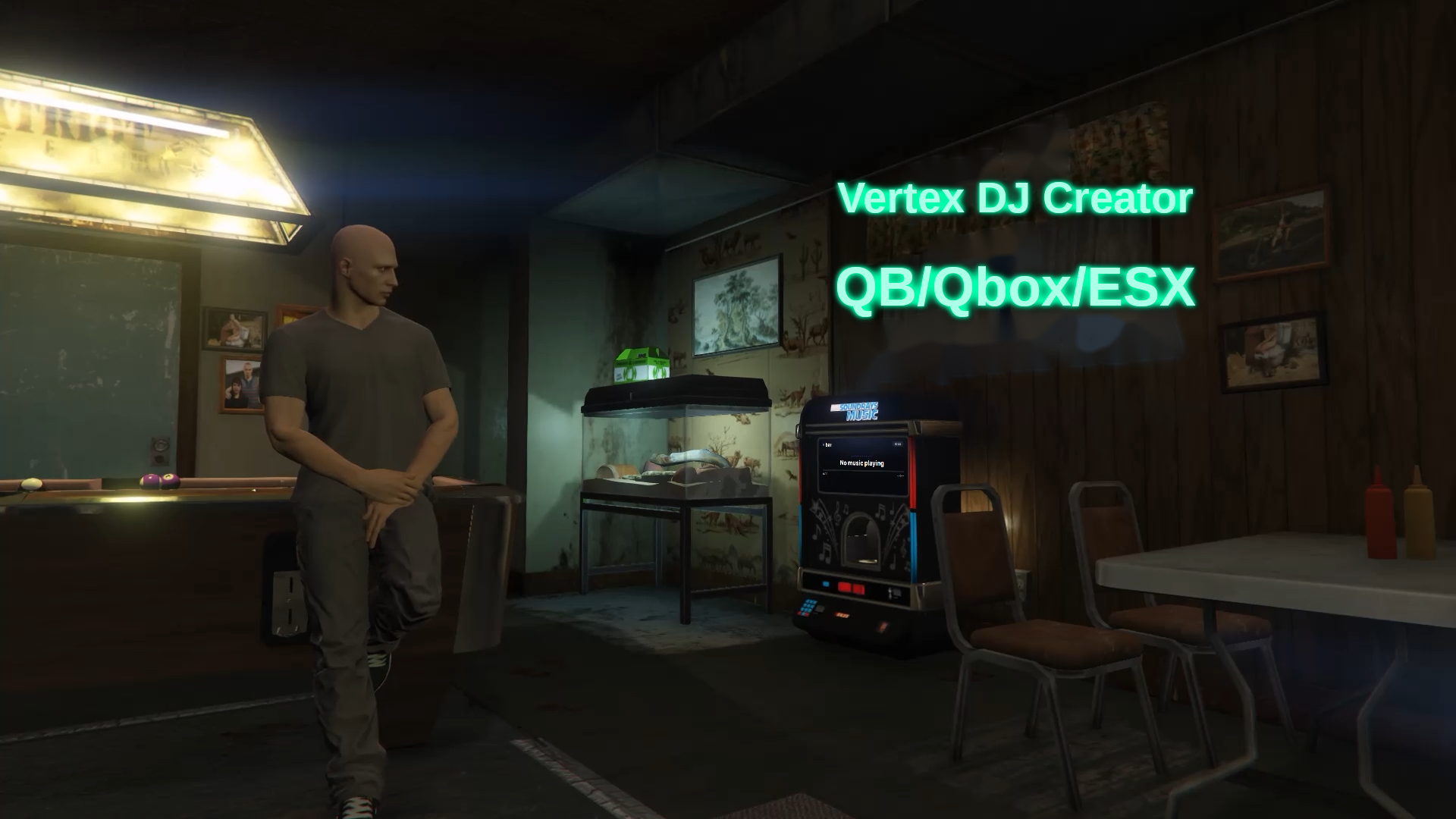
<h2 style="color:#12b896;">🎧 Vertex DJ — Proximity DJ Booths</h2>
<p><em>Synced, fully managed in-game, and with zero required dependencies. Works on QBox, QBCore, ESX, or pure standalone.</em></p>
<hr>
<p>Drop DJ booths around your map, queue <strong>YouTube</strong> links, and let your players hear <strong>synced</strong> music that naturally rises and fades with distance. No file edits, no restarts — everything is controlled from an <strong>in-game</strong> panel.</p>
<h3 style="color:#12b896;">✨ Features</h3>
<ul>
<li>🎚️ <strong>In-game booth manager</strong> (<code>/djmanager</code>): create, edit, move, and delete booths with a walk-and-confirm placement flow.</li>
<li>🔊 <strong>Up to 10 speakers per booth</strong>, all playing the same track in perfect sync.</li>
<li>🎧 <strong>Proximity audio</strong>: volume rises as you approach and fades as you leave (linear or quadratic falloff).</li>
<li>⏱️ <strong>Server-authoritative sync</strong>: everyone hears the same point in the track, even players who join mid-song.</li>
<li>🔐 <strong>Per-booth job & grade locks</strong> (framework servers): lock a booth to a job/grades or leave it open. Auto-hidden on coreless servers.</li>
<li>▶️ <strong>Full queue</strong>: add, reorder, remove; play / pause / skip / stop; per-booth volume; resolved titles & duration.</li>
<li>📃 <strong>YouTube playlists</strong>: paste a playlist and it expands into individual tracks (up to 100), all kept in sync.</li>
<li>⏭️ <strong>Auto-skip</strong> for dead tracks that fail to load, after a short grace window.</li>
<li>🗺️ <strong>Live map blips</strong>: a booth's blip turns gold and shows <code>(LIVE)</code> while it's playing.</li>
<li>🖥️ <strong>DUI jukebox screen</strong>: a "now playing" display with an interactive panel (play/pause/skip/volume, paste links, and queue).</li>
<li>🌐 <strong>English & Spanish</strong>: full translation, switchable live.</li>
</ul>
<h3 style="color:#12b896;">⚙️ Configured from in-game</h3>
<p>An <strong>in-game settings panel</strong> (<code>/djmanager → ⚙</code>) lets you change ranges, limits, language, and more <strong>without restarting the script</strong>. Changes are saved to the database (or JSON) and applied instantly to every client.</p>
<h3 style="color:#12b896;">🧩 Compatibility & requirements</h3>
<ul>
<li>✅ <strong>QBox / QBCore / ESX / standalone</strong> — framework auto-detected.</li>
<li>✅ <strong>ox_target / qb-target</strong> optional (falls back to the <strong>E</strong> key).</li>
<li>✅ <strong>oxmysql</strong> optional for persistence (falls back to JSON).</li>
<li>✅ <strong>No required dependencies.</strong></li>
</ul>
<h3 style="color:#12b896;">📦 What you get</h3>
<ul>
<li>The <code>vertex_dj</code> resource, protected (Asset Escrow), ready for your server.</li>
<li><code>config.lua</code> and the language files are <strong>open and editable</strong>.</li>
<li>Installation guide (README) and <code>install.sql</code> included.</li>
<li>Updates and support.</li>
</ul>
<h3 style="color:#12b896;">🚀 Install in 1 minute</h3>
<ol>
<li>Drop <code>vertex_dj</code> into your <code>resources</code>.</li>
<li>(Optional) import <code>install.sql</code> if you use oxmysql.</li>
<li>Add <code>ensure vertex_dj</code> and the admin ACE to your <code>server.cfg</code>.</li>
<li>Restart and run <code>/djmanager</code> in-game.</li>
</ol>
<hr>
<h3 style="color:#12b896;">💬 Support</h3>
<p>Questions or issues? Join our Discord: <strong>[https://discord.gg/KKqZkg8HJY]</strong></p>
<p style="text-align:center;"><strong>Vertex Studios</strong> — quality for your FiveM server. 🎶</p>


<h2 style="color:#12b896;">🎧 Vertex DJ — Proximity DJ Booths</h2>
<p><em>Synced, fully managed in-game, and with zero required dependencies. Works on QBox, QBCore, ESX, or pure standalone.</em></p>
<hr>
<p>Drop DJ booths around your map, queue <strong>YouTube</strong> links, and let your players hear <strong>synced</strong> music that naturally rises and fades with distance. No file edits, no restarts — everything is controlled from an <strong>in-game</strong> panel.</p>
<h3 style="color:#12b896;">✨ Features</h3>
<ul>
<li>🎚️ <strong>In-game booth manager</strong> (<code>/djmanager</code>): create, edit, move, and delete booths with a walk-and-confirm placement flow.</li>
<li>🔊 <strong>Up to 10 speakers per booth</strong>, all playing the same track in perfect sync.</li>
<li>🎧 <strong>Proximity audio</strong>: volume rises as you approach and fades as you leave (linear or quadratic falloff).</li>
<li>⏱️ <strong>Server-authoritative sync</strong>: everyone hears the same point in the track, even players who join mid-song.</li>
<li>🔐 <strong>Per-booth job & grade locks</strong> (framework servers): lock a booth to a job/grades or leave it open. Auto-hidden on coreless servers.</li>
<li>▶️ <strong>Full queue</strong>: add, reorder, remove; play / pause / skip / stop; per-booth volume; resolved titles & duration.</li>
<li>📃 <strong>YouTube playlists</strong>: paste a playlist and it expands into individual tracks (up to 100), all kept in sync.</li>
<li>⏭️ <strong>Auto-skip</strong> for dead tracks that fail to load, after a short grace window.</li>
<li>🗺️ <strong>Live map blips</strong>: a booth's blip turns gold and shows <code>(LIVE)</code> while it's playing.</li>
<li>🖥️ <strong>DUI jukebox screen</strong>: a "now playing" display with an interactive panel (play/pause/skip/volume, paste links, and queue).</li>
<li>🌐 <strong>English & Spanish</strong>: full translation, switchable live.</li>
</ul>
<h3 style="color:#12b896;">⚙️ Configured from in-game</h3>
<p>An <strong>in-game settings panel</strong> (<code>/djmanager → ⚙</code>) lets you change ranges, limits, language, and more <strong>without restarting the script</strong>. Changes are saved to the database (or JSON) and applied instantly to every client.</p>
<h3 style="color:#12b896;">🧩 Compatibility & requirements</h3>
<ul>
<li>✅ <strong>QBox / QBCore / ESX / standalone</strong> — framework auto-detected.</li>
<li>✅ <strong>ox_target / qb-target</strong> optional (falls back to the <strong>E</strong> key).</li>
<li>✅ <strong>oxmysql</strong> optional for persistence (falls back to JSON).</li>
<li>✅ <strong>No required dependencies.</strong></li>
</ul>
<h3 style="color:#12b896;">📦 What you get</h3>
<ul>
<li>The <code>vertex_dj</code> resource, protected (Asset Escrow), ready for your server.</li>
<li><code>config.lua</code> and the language files are <strong>open and editable</strong>.</li>
<li>Installation guide (README) and <code>install.sql</code> included.</li>
<li>Updates and support.</li>
</ul>
<h3 style="color:#12b896;">🚀 Install in 1 minute</h3>
<ol>
<li>Drop <code>vertex_dj</code> into your <code>resources</code>.</li>
<li>(Optional) import <code>install.sql</code> if you use oxmysql.</li>
<li>Add <code>ensure vertex_dj</code> and the admin ACE to your <code>server.cfg</code>.</li>
<li>Restart and run <code>/djmanager</code> in-game.</li>
</ol>
<hr>
<h3 style="color:#12b896;">💬 Support</h3>
<p>Questions or issues? Join our Discord: <strong>[https://discord.gg/KKqZkg8HJY]</strong></p>
<p style="text-align:center;"><strong>Vertex Studios</strong> — quality for your FiveM server. 🎶</p>
You have no favourites yet.
Loading purchases...
No purchases found for this period.